One-Time Secret vs PrivateBin vs ClipShare Snap
Compare One-Time Secret, PrivateBin, Privnote, Yopass, and ClipShare Snap for one-time notes, temporary passwords, no-login links, and self-hosted sharing.
In this guide
If you search for one-time private text, burn-after-reading notes, or one-time secret links, you will likely run into tools and projects such as:
- One-Time Secret
- PrivateBin
- Privnote
- Yopass
- ClipShare Snap
They all overlap with the idea of sharing private text that should not live forever.
But they are not the same product category.
Some are better for self-hosted teams.
Some are more developer-oriented.
Some are closer to a private pastebin.
Some are lighter for sending one temporary note without login.
This guide is not a ranking of which tool is "absolutely safest."
It is a practical way to decide which tool fits your job.
Quick comparison
| Tool | Best fit | Typical strengths |
|---|---|---|
| ClipShare Snap | No-login one-time short text handoff | Text-only, 10-minute expiry, 60-second viewing window |
| One-Time Secret | General secret sharing with self-destructing links | Official docs emphasize one-time viewing, expiration, and passphrase options |
| PrivateBin | Self-hosted pastebin-style private sharing | Open-source, stronger self-hosting angle, useful for teams |
| Privnote | Quick burn-after-reading notes | Official site emphasizes notes that self-destruct after reading |
| Yopass | Developer or system credential handoff | Often used for API credentials, client secrets, and operational secrets |
In plain terms:
- Need a fast temporary password or one-time note? Look at Snap or One-Time Secret style tools.
- Need self-hosting and service control? Look at PrivateBin or Yopass.
- Need a private pastebin? PrivateBin may fit better.
- Already using ClipShare and need short-lived private text? Use ClipShare Snap.
ClipShare Snap: lightweight, no-login, short-lived text
ClipShare Snap is intentionally narrow:
- text only
- no login required
- expires after 10 minutes
- viewable for 60 seconds after reveal
- best for temporary passwords, private notes, and short-lived text
It is not a full chat app.
It is not a self-hosted platform.
It fits situations like:
- sending a starter password to a customer
- handing a teammate a temporary access note
- giving a contractor a one-time instruction
- avoiding raw secret text in chat, email, or tickets
The lifecycle below comes from a real browser walkthrough. The displayed link is a disabled demonstration value, not an active Snap.
Tested Snap lifecycle: create, reveal, unavailable
1. Enter a short private text
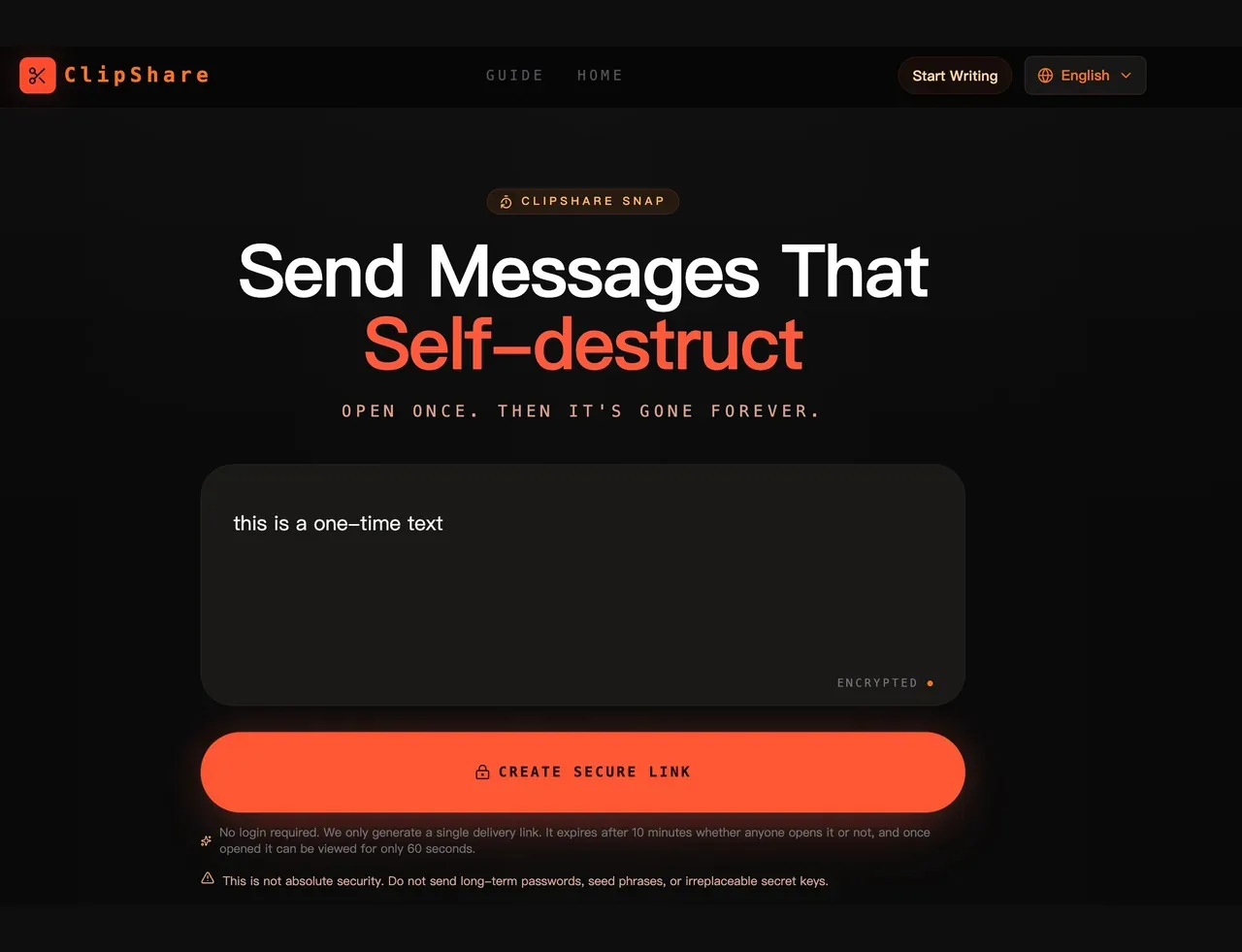
2. Generate a temporary one-time link

3. Recipient chooses whether to reveal

4. Revealed text enters the viewing countdown
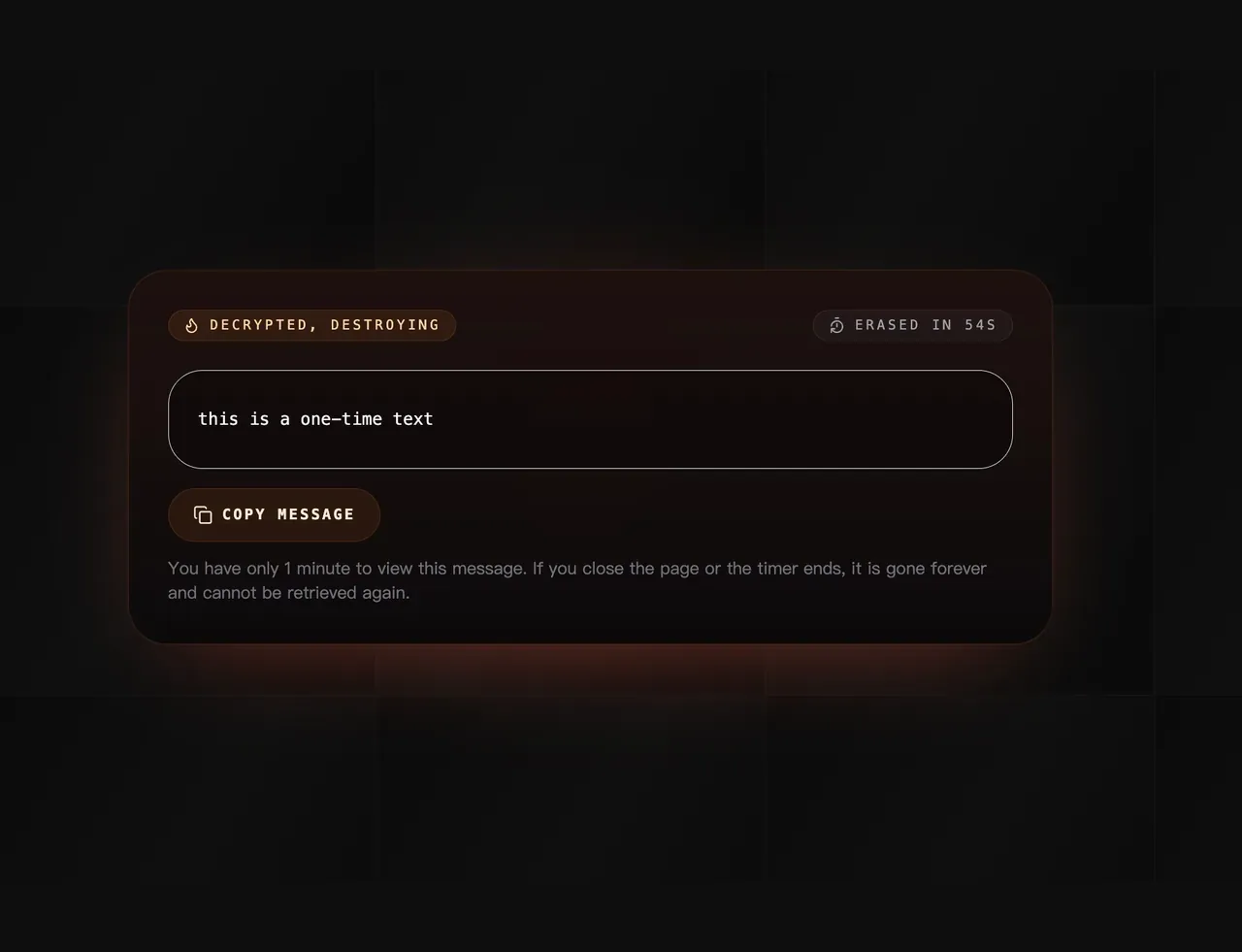
5. The original message can no longer be shown again

Real tested flow: a short text becomes a one-time link, is revealed inside a 60-second viewing window, and then becomes unavailable after the reveal flow completes.
For the boundary details, read What Is ClipShare Snap? How One-Time Text Links Work.
One-Time Secret: general secret sharing
One-Time Secret's official documentation presents it as a way to share sensitive information through self-destructing links, with automatic deletion, expiration, and passphrase-related options.
It is closer to a general-purpose secret-sharing service.
It may fit when you want:
- short text secret sharing
- temporary password or token delivery
- passphrase-style extra protection
- a tool with an established "one-time secret" vocabulary
Specific limits and features can vary by deployment, plan, or instance, so check the current service page before relying on exact behavior.
PrivateBin: stronger self-hosted pastebin angle
PrivateBin is a familiar open-source pastebin-style tool for technical users.
Its value is not only that it can share private text.
It is also useful because:
- it can be self-hosted
- teams can control their own environment
- it behaves more like a private pastebin
- it can fit longer text, code snippets, and internal notes
If your goal is to run a private pastebin under your own control, PrivateBin may be a better category fit.
If your goal is simply to send one starter password right now, self-hosting may be more workflow than you need.
Privnote: classic burn-after-reading note
Privnote is one of the better-known "write a note, send a link, destroy after reading" tools.
It fits:
- quick private notes
- no-account sharing
- simple read-once behavior
Like every tool in this category, it cannot prevent screenshots, photos, or copying after the recipient sees the note.
Yopass: developer and credential handoff workflows
Yopass often appears in technical or operations workflows.
Some systems use it to deliver API credentials, client secrets, or operational secrets without putting them directly into email or chat history.
It fits:
- developer teams
- API key or client secret delivery
- self-hosted or internal-tool integration
- clearer engineering processes around secret handoff
For everyday users who only need to send one short private note, it may feel too technical.
Which one should you choose?
You need to send one short private text now
Use ClipShare Snap.
It is lightweight, no-login, and focused on one-time text delivery.
You want a general-purpose secret-sharing service
Consider One-Time Secret style tools.
They may be a fit if you specifically want passphrase or expiration options.
You want to self-host
Look at PrivateBin or Yopass.
They are closer to team-controlled deployment and internal processes.
You need images or files
Do not use Snap.
Use normal ClipShare or Temporary File Sharing Without Login.
You need to send permanent passwords, private keys, or seed phrases
Do not use these ordinary one-time note tools as the primary solution.
Use a password manager, key-management system, or stricter access workflow.
References
This article refers to public information from:
Tool behavior, limits, and deployment details can change, so check each official page before relying on a specific feature.
Bottom line
There is no single best one-time private text tool.
If you need self-hosting and team control, PrivateBin or Yopass may fit better.
If you need general secret sharing, One-Time Secret is a familiar option.
If you need a no-login way to send a temporary password or one-time note, ClipShare Snap is the lighter path.
The best tool is the one whose lifecycle matches the secret you are sending.
Sources, test scope, and limits
Reviewed: July 26, 2026
What we checked
- OneTime Secret documents one-use URLs and self-hosting. PrivateBin documents browser-side encryption and a server that does not receive the decryption key, while its FAQ also explains that users must trust the JavaScript served by the instance.
- Privnote describes browser-side encryption, read-once destruction, optional passwords and expiry; its FAQ still warns that a recipient can copy or capture the note. Yopass documents browser-side OpenPGP, one-time expiry, and recommends self-hosting for sensitive use.
- These tools use bearer-link workflows: whoever obtains the complete link may be able to open it first. One-use behavior limits reuse; it does not authenticate the intended recipient.
- Test results: On July 26, 2026, we created a ClipShare Snap with a 56-character synthetic message in production Chrome. The first clean browser context revealed the exact text; a second clean context received an unavailable response and could not retrieve it. No real password or personal data was used.
What this review does not prove
This is a task-fit comparison, not an independent security certification or a benchmark of every competitor version. Product behavior, limits, pricing, and deployment options can change; check the linked official documentation before relying on a feature.
Primary sources
- OneTime Secret official repository — one-use links and self-hosting documentation.
- PrivateBin official repository — client-side encryption and deployment model.
- PrivateBin FAQ — JavaScript trust boundary and higher-assurance options.
- Privnote official site — browser encryption, expiry, optional password, and read-once flow.
- Yopass official repository — OpenPGP browser encryption, one-time URLs, and self-hosting guidance.
- Yopass official documentation — current product scope and usage model.
One-time text handoff
Create a Snap link for short-lived text
Use Snap when a temporary password, one-time note, or brief private instruction should be revealed once and then become unavailable from the same link.